
This page provides more information about Artificial Intelligence than is required for the 2026 Pilot Exam.

Table of Contents

Changelog
Since this content is evolving, refer to the following changelog to see if anything has changed since you were last here.
| Version | Date | Change |
| 1 | 2025-12-23 | Page created and some incomplete content posted |
| 2 | 2025-12-26 | Minor text corrections |
| 3 | 2025-12-27 | Added what AI cannot do, managing those risks, effective AI use, failure modes and overcoming them |
| 4 | 2025-12-28 | Expanded “What Can AI Do” section and added Quiz questions |
| 5 | 2026-01-03 | Added AI Quest game below quiz |
| 6 | 2026-01-04 | Added discussion of Infinity to RAG section |
PMI AI Resources and AI Coverage in the PMP Exam
PMI has multiple dedicated AI courses and credentials. The PMI Certified Professional in Managing AI (PMI-CPMAI)™ credential, for instance, is designed for project managers seeking to demonstrate their knowledge and skills in AI.
For the 2026 PMP exam, project managers are expected to know what AI is, what it can do, how it can be helpful and issues to watch for. However, it does not require an in-depth understanding of how AI works or knowledge of the technical stack or the technologies in use. We do not need to be prompt engineers or data scientists. The material covered here provides the necessary grounding and depth.
The exam will ask situational questions about when, if, and how to use AI in team and project settings. Project managers will be expected to understand the benefits (productivity increases, removal of mundane work, etc) of using AI while simultaneously being mindful of the potential downsides of AI (error, bias, lack of consensus building, etc.)
So, while the technology behind AI is complex and fast evolving, the practical use of these tools is easier to understand and apply.

Source Materials for Exam Questions and Study
The following sources are useful for preparing to answer PMP questions on artificial intelligence.
- The PMBOK Guide 8th Edition – adds AI as a tool that can be used in many of the activity Inputs, Tools, Techniques, and Outputs (ITTOs). It also has an appendix on the use of artificial intelligence.
- Shaping the Future of Project Management with AI – PMI’s Thought Leadership report introduces Artificial Intelligence and explains how it can help across the PMI Talent Triangle. A high level introduction.
- PMI’s “AI Essentials for Project Managers Guide” – this provides a good overview for organizational governance (data privacy, regulations, definitions), but is brief on how to use AI effectively, so we will also include the next source in our study materials.
- Ethan Mollick’s “15 Times to use AI and 5 Times Not To” blog post – Which provides more of a user manual for the individual project manager’s thinking workflow. Where PMI’s “AI for Project Managers Guide” focuses on how to control the tool, this guide provides insights on how to collaborate with it.
What is AI?
Artificial intelligence (AI) is a broad umbrella for systems that perform tasks that appear “intelligent”, such as reasoning, perception, decision support, and language. These systems can assist with or automate analysis and decision-making in complex environments.
How Does AI work?
To understand how AI works, we need to peel back the layers and see the different types of systems at play. The Venn diagram below shows Artificial Intelligence as the red outer set of technologies. Inside are the various subsystems that make up today’s popular generative AI tools such as ChatGPT, Claude, and Gemini.
Understanding these layers is not necessary for the exam, but it puts these standard terms into place, which can help understand AI in general.
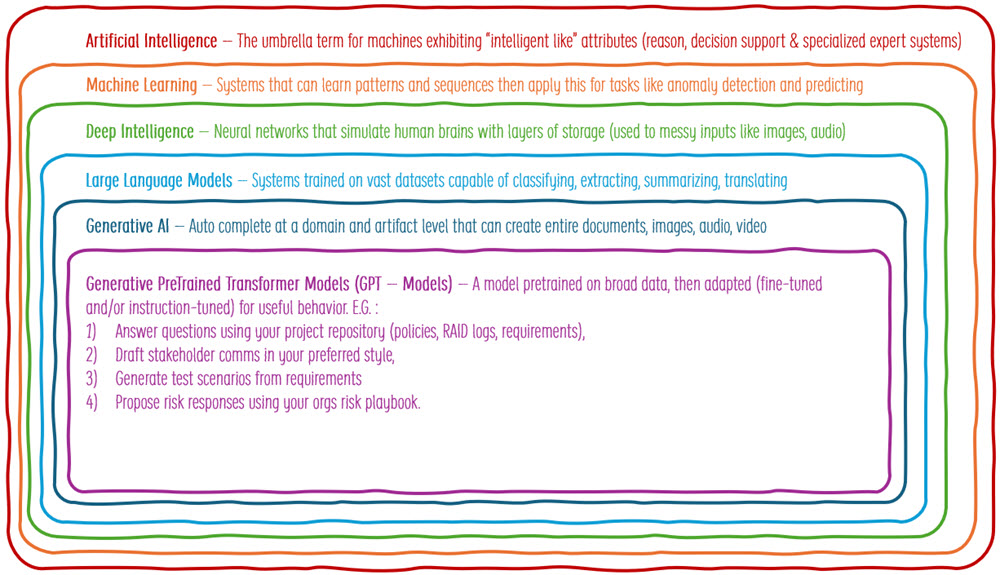
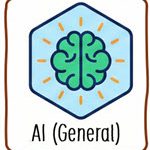
Artificial intelligence
The umbrella term for systems that perform tasks that look “intelligent” (reasoning, perception, decision support, language).
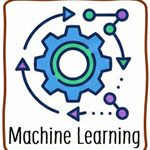
Machine Learning
A subset of AI where systems learn patterns from data rather than being fully hand-coded. They can make predictions or classifications that improve with more/better data.
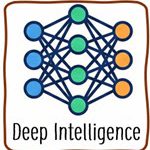
Deep Intelligence
A subset of Machine Learning using multi-layer neural networks that learn complex representations (often called deep learning). They can handle “messy” inputs such as images, audio, and natural language and perform tasks such as defect detection in manufacturing and medical imaging assistance.
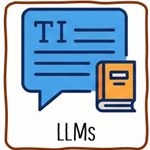
Large Language Models
Deep learning models trained on massive datasets (for instance millions of books and articles) to predict and generate language. They can summarize, classify, extract, translate, and answer questions.
Generative AI
Models that create new content (text, images, audio, video, code). LLMs are one major type, but not the only one. They can produce drafts, options, and variations quickly to accelerate content-heavy work.

Generative Pretrained Transformer Models (GPT-style models)
A specific family of LLMs: Transformer-based, pretrained on broad data, then adapted (fine-tuned and/or instruction-tuned) for useful behavior.
- Retrieval-Augmented Generation (RAG): A method where the AI retrieves trusted, proprietary information from a secure database to inform its answers. This could be a database of your organization’s artifacts. This reduces hallucinations and helps ensure answers are relevant to the specific project context.
PMI Infinity is a good example of this “grounded answers” RAG approach. Infinity is PMI’s AI assistant, built around PMI standards and PMI’s broader knowledge base. It provides source visibility so you can check where an answer came from. PMI also positions Infinity as “data safe” in the sense that it is trained on PMI content, and your prompts and outputs are not used to train public models or shared with other customers. That said, PMI’s user guidance also states that prompts and other inputs are stored, so it is still wise to avoid uploading confidential or sensitive project artifacts.
- Fine-Tuning: Training a pre-existing model on a specific dataset (e.g., legal or medical terminology) to align it with niche industry needs.
These GPT style models can be adapted to many tasks by prompting and using tools to answer questions within your PMO processes. Or draft project deliverables using a combination of local project data and your company artifact templates. These can seem convincingly complete, but still require an expert human-in-the-loop for validation.

GenAI Spotlight
While generative AI (GenAI) is one type of AI, it has received the most attention in the past 3 years, since the launch of ChatGPT and similar tools. The details of how it works are not required for the PMP exam. However, some common terms that come up in articles are outlined in the interactive figure below. Hover your mouse cursor over the elements for more information.

The Impacts of Artificial Intelligence
Project management has continuously evolved, but rather slowly, until this point. For instance, Project Management Information Systems (PMIS) automated many scope management, estimation, scheduling and reporting activities. These tools were first introduced to the largest, most technology-centric organization, and then rolled out as costs declined and interest and capabilities grew.
Concepts such as the Theory of Constraints, Lean and agile approaches were also slowly embraced, but these took decades to be fully adopted. However, in the three years since ChatGPT was launched, we have seen more change to project management than in the last 10 years, and things are just getting started.
“May you live in interesting times”
- curse from British politician, Joseph Chamberlain
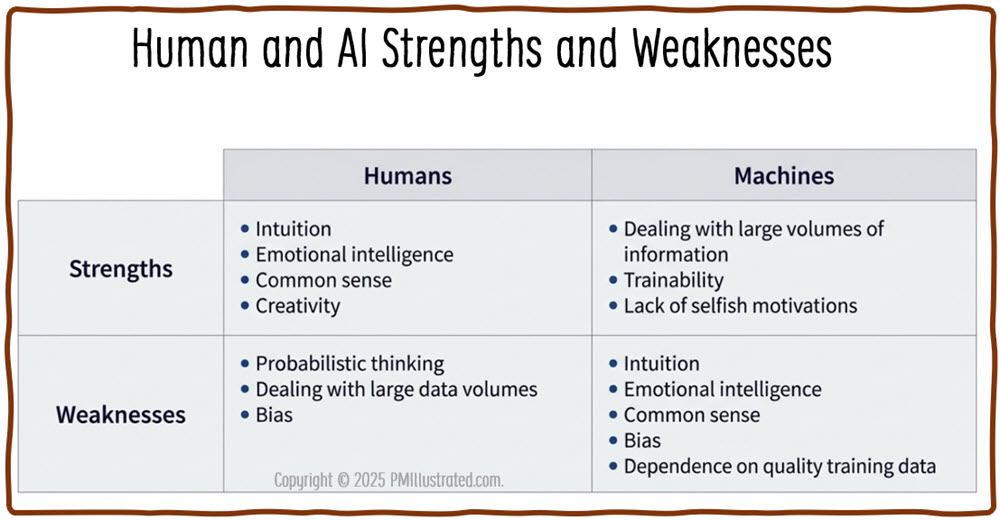
AI is at an inflection point, moving from an interesting tool to a disruptive force impacting every industry, including project and product management. PMI recommends viewing AI as “Augmented Intelligence,” not as a replacement for humans, but as a way to enhance them. Using AI’s efficiency and data-processing capabilities with the human creativity, emotional intelligence and ethical judgement of project managers.
This is a nice idea, use AI for what it is good at and free up people to focus on what they are good at.

What Can Artificial Intelligence Do?
AI can already automate some low-complexity tasks, such as taking meeting minutes. It can assist with medium-complexity tasks, such as analyzing large datasets. For high-complexity work, such as project decision-making, AI still needs substantial support. However, even for complex tasks, AI can be a valuable thinking partner for vetting ideas and augmenting a project manager, making them more effective.
Examples illustrating this progression of task complexity and AI-assist modes are shown in the graph below. The Y axis shows task complexity from low to high. The X-axis indicates how AI can automate, assist, or augment these tasks.
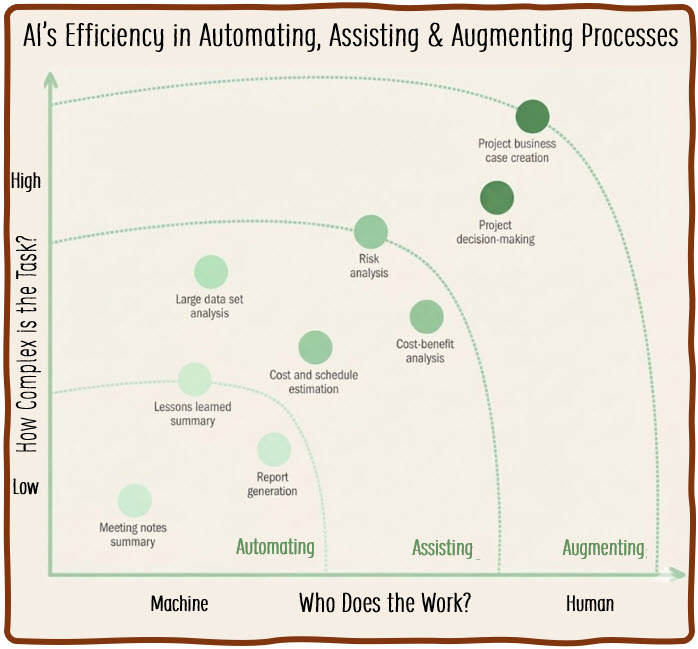
So, we can classify how AI can help project participants and project managers into three broad categories.
Automation
AI can perform low-complexity tasks requiring minimal human intervention – although the results still need verification. Examples include report generation, document analysis, and conference call summarization. Standard prompts can be created and reused across teams to streamline these routine activities.
Automation examples:

Predictive life cycle – AI performs routine status reporting. It pulls schedule data, cost performance, and open risks from the project repository and drafts a weekly sponsor update with a standard format. It also summarizes meeting notes and action items from steering committee calls. The project manager reviews the draft, corrects any errors, and publishes the final report.

Agile life cycle – AI performs repetitive administrative work around flow and visibility. It generates release notes from merged changes and drafts stakeholder updates from completed backlog items and decisions. It also summarizes team discussions into a short set of outcomes, risks, and next steps. The team reviews the output before updating their task boards and sharing it outside the delivery group.
Assistance
At this level, AI tools help with analysis and iteratively build ideas, though the outputs are not considered complete without human validation and refinement. Common uses include creating risk registers or scheduling plans, where project professionals must review results for accuracy.
Assistance examples:
Predictive life cycle – AI helps build a first-pass risk register and responses. It reviews the scope statement, requirements, assumptions, and constraints, then proposes risks, triggers, and response strategies. It suggests owners and draft contingency actions based on similar project patterns. The project manager and SMEs refine the list, adjust probabilities and impacts, and align responses to the organization’s risk appetite.
Agile life cycle – AI helps with backlog refinement and planning conversations. It analyzes a set of backlog items and proposes clarifying questions, acceptance criteria ideas, and possible splits for oversized items. It highlights potential dependencies and areas of technical risk that may need discovery work. The product owner and team validate what is accurate, remove what does not fit, and decide what to take forward.
Augmentation
Here, AI tools enhance existing capabilities for complex tasks. Project professionals use AI as a brainstorming partner to evaluate options, maximize value, and forecast risk based on external variables.
Augmentation examples:
Predictive life cycle – AI enhances decision-making and communication for complex, high-stakes work. The project manager provides the approved baseline, current cost performance, change requests, and the main drivers of the forecast overrun. AI generates options such as scope trade-offs, phased delivery, procurement alternatives, or schedule changes, then forecasts the budget impact and risk exposure for each option under different assumptions, like supplier delays or exchange rate shifts. The project manager then uses AI to role-play a difficult conversation with the finance team about a budget increase. AI plays Finance first, raising concerns about costs, governance, and benefits, then switches roles and plays the PM, helping refine the narrative, anticipate objections, and practice a calm, credible response before the meeting.
Agile life cycle example – AI augments product and delivery thinking by grounding ideas in specific personas and their frustrations. The product owner shares two or three identified customer personas, what they are trying to accomplish, current pain points, and the constraints the team must work within. AI proposes multiple ways to address those challenges and identifies risks such as hidden complexity, or unclear acceptance criteria. The team reviews the options and uses them as inspiration for conversations with the product owner about feature priorities.
What Artificial Intelligence Cannot Do
While AI is probably the greatest asset and accelerator for project management that has ever been created, there are some areas where it still struggles. Before examining all the ways it can help us, we should be aware of some of its shortcomings.
Intro
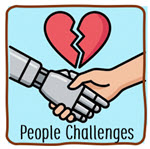
Excel at People Skills – AI is not a person and so struggles with some people skills. It is very difficult for AI developers to define in software code how to read a room, sense power dynamics, body language, or sarcasm.
While AI might offer better advice than a bad manager, it does not yet approach the best managers for coaching, motivating and holding people accountable in a way that changes behavior.
AI has access to the recommended steps to resolve conflict but may not detect it early enough to enable minimal intervention. This is because people tend to start conflicts verbally to avoid recriminating paper trails.
Then there’s organizational influence and politics. This includes knowing who to talk to to get something approved or expedited. Project managers are expected to deliver valuable outcomes, and most organizations work through both official and unofficial channels. Understanding and using these back-channels and favors is nuanced and relies on reciprocity that is difficult to achieve with machines.
AI can certainly help us supercharge our admin and mundane work. This is helpful, it allows us to spend more time on the people skills that matter the most:
People Skills
- Earn trust and repair it after conflict (reading a room, sensing power dynamics, body language, building credibility over time).
- Coach, motivate, and hold people accountable in a way that changes behavior, not just produces messaging.
- Lead difficult conversations (performance issues, burnout, interpersonal friction, psychological safety breaches) with appropriate empathy and nuance.
- Negotiate in real-time where relationships, concessions, and “what’s not being said” matter as much as the terms.
- Represent the team politically across departments (influence without authority, stakeholder trade-offs, agenda management).

Diagnose Real-world progress and issues – The saying “The map is not the territory” is used in project management to describe the frequent disconnect between plans and actual progress. To get the truth, we need to go see the work, talk to the workers and close any gaps between plans and reality.
Lean has the concept of the Gemba Walk, where leaders go to the place where work actually happens (“Gemba” = the real place) to observe the process firsthand, understand problems in context, and support continuous improvement. It allows direct observation of work as it is performed, not as described in plans. It is to learn how value is created, where friction exists, and what prevents flow.
Agile teams achieve similar goals by (originally) sitting together and having high transparency into work, issues, and acceptance. This transparency is achieved via Kanban boards, daily standups, and product demonstrations. It is hard to hide friction or issues when working software is the primary measure of progress, and issues are openly shared.
Since AI can only process the information provided, it misses unstated issues, gaps, or frustrations. Problems occur when plans and practice diverge, leading to real-world disconnects.
Delivery in the real world
- Validate reality on the ground (site walks, observing work-as-done vs work-as-claimed, spotting emergent risks in context).
- Manage vendor and contract accountability (commercial leverage, relationship management, dispute handling, escalation timing).
- Run high-stakes workshops live where facilitation quality changes outcomes (alignment, conflict resolution, decision speed).
- Respond to crises with situational leadership (triage, calm presence, decisive coordination) when information is incomplete and the stakes are high.
- Protect confidentiality appropriately (HR, legal, sensitive negotiations) where data handling and discretion are non-negotiable.
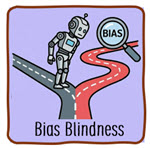
Be Aware of Its Own Bias and Mistakes: One characteristic of AI tools that closely matches human intelligence is not being aware of its own shortcomings. Unlike tape measures and calculators that we can trust to be correct, AI is a new set of tools that is simultaneously more powerful and fallible. AI users should not assume that the answers are correct. We need a human-in-the-loop to check the results and be on the lookout for subtle bias.
Because large language models have been trained on internet content, they can reflect bias or outdated viewpoints. Unfortunately, the algorithms websites use to attract clicks often promote content that favors extreme and radical views. During large language model training, this “popular” content receives higher confidence weightings and bias increases rather than decreases.
AI bias in projects can quietly skew risk scoring, hiring decisions, and prioritization by reinforcing patterns embedded in historical data, even when those patterns reflect past inequities or politics. This is dangerous because biased outputs can look “objective,” leading teams to institutionalize unfair decisions unless models are actively reviewed and challenged with human judgment.
AI Bias Types
- Historical Data Bias: Models trained on old project data can reproduce legacy patterns (for example, consistently underfunding certain teams or over-weighting familiar delivery approaches) even when those patterns were suboptimal or unfair.
- Selection Bias: If the data reflects only “successful” projects, certain business units, or a narrow set of delivery contexts, the AI will generalize poorly and mislead PMs when conditions differ.
- Measurement and Proxy Bias: AI may optimize what is easy to measure (story points, hours logged, ticket counts) as a proxy for value created, pushing decisions toward being busy over valuable outcomes.
- Labeling and Feedback-Loop Bias: When humans label risks, performance, or “good requirements,” their subjective judgments become training data, and repeated use of the AI can reinforce those judgments over time.
- Automation Bias: PMs and stakeholders may over-trust AI recommendations because they appear precise, reducing critical challenge and increasing the chance that a flawed recommendation becomes policy or precedent.
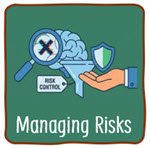
Managing these Risks
The solution to managing these AI limitations and issues is not to avoid artificial intelligence altogether. That would be like avoiding electricity because it can cause shocks or electrocution. Organizations did not abandon electricity; instead, they introduced safeguards, training, and professional judgment so its benefits could be realized safely.
In the same way, AI should be used with awareness of its limits and active human oversight. Project managers are expected to understand where AI adds value, where it introduces risk, and when human judgment must take precedence. AI is most effective when it augments expertise, reduces administrative burden, and informs decisions, not when it replaces situational awareness, ethical judgment, or accountability.
For project managers, this means treating AI as an accelerator that must be checked against reality, rather than accepted at face value or avoided outright.

Exam Takeaway
On the exam, the correct response will rarely be to avoid AI because of its limitations. Instead, expect answers that emphasize risk management, controls, human judgment, and responsible use of AI to support project work.
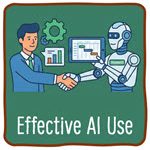
How Project Managers Can Use AI
Now that we understand what AI can and cannot do, we can safely explore its practical applications. Opportunities to use AI span the entire project life cycle. Before we get into where AI can be applied day to day, it helps to start with the lens the PMBOK Guide 8th Edition uses for modern project work. It begins with a mindset anchored in six principles.
Mindset and Principles
The principles provide a framework for thinking about how we can use AI on projects. You do not need to memorize these scenarios for the exam. However, they are useful since they are examples of applying PMI AI usage recommendations to topics found in PMP exam reference materials (The PMBOK Guide 8th edition). PMP question writers will create scenarios basd on these reference sources that apply PMI’s AI guidance. So, being familiar with these types of scenarios will be useful in the exam.

Adopt a holistic view
AI can help us see the whole system, not just a plan. It can consolidate inputs from schedules, risks, change requests, and stakeholder feedback into a single view of dependencies and ripple effects. It can also draft impact summaries that span scope, schedule, finance, risk, and benefits, which helps avoid local optimizations that create downstream issues.

Focus on value
AI can help connect work to outcomes. It can draft measurable benefit statements and leading indicators early, then translate progress into value-focused updates. It can also support prioritization by comparing options based on potential ROI, cost trade-offs, and risk exposure, then presenting the trade-offs clearly for decision makers.

Embed quality into processes and deliverables
AI can help build quality in early. It can flag ambiguous requirements, missing acceptance criteria, and conflicting statements before they become rework. It can draft checklists, review prompts, and acceptance test outlines so quality is not treated as a late-stage inspection activity.
Be an accountable leader
AI can accelerate analysis and drafting, but accountability does not shift to the tool. AI can help prepare decision briefs and support difficult conversations through role play and objection handling. The project manager remains responsible for decisions, transparency, and the consequences of what gets approved and communicated.

Integrate sustainability within all project areas
AI can help integrate sustainability rather than treating it as a side topic. It can prompt sustainability questions during planning, procurement, and change control, and help translate sustainability trade-offs into language stakeholders understand. AI also has an environmental cost itself, so it is worth using it intentionally for meaningful work rather than trivial prompting.
Build an empowered culture
AI can reduce repetitive work that drains teams and can help people align faster by drafting agendas, summaries, and decision logs. It can also help translate project information for different audiences so teams spend less time re-explaining. It does not replace trust-building, facilitation, or real-time leadership, but it can remove friction and keep teams focused on the work.
With the mindset in place, we can shift from the “how we lead” lens to the “where we apply” lens. The following list organizes practical AI use cases using the PMBOK Guide 8th Edition performance domains, showing where AI can reduce repetitive work, improve analysis, and support better project outcomes when paired with human judgment and oversight.
Performance Domains:
(As with the principles, we do not need to memorize these for the exam, but they come from a source document (the PMBOK Guide 8th Edition) that will be used by question writers.)
Governance
- Decision-Making: We can use AI to analyze historical data, market trends, and organizational priorities to support project selection and prioritization. It can support data-driven decisions by weighing factors like potential ROI, risk, and team availability.
- Ideation: AI tools can assist in generating ideas for documents such as business cases, risk lists, and project charters. People can get stuck starting with a blank page or tired before exploring all the options. We can instruct AI tools to suggest starting categories or generate hundreds of meaningfully different options. This might expose an option or spark a new idea that people would not have reached in the time allotted themselves.
- Governance workflows: AI can draft decision briefs, options papers, and meeting packs from a standard template, then tailor them for different governance bodies. It can also summarize decisions and action items from steering committees into a concise governance log.
- Change request triage: AI can help categorize change requests, draft impact analysis summaries, and propose options such as approve, defer, split, or reject. It can also suggest compromise approaches such as phased delivery or partial scope adjustments.
- Benefits and value tracking: We can use AI to help define measurable benefit statements and leading indicators early, then draft benefit tracking dashboards and post-implementation review questions tied back to the business case.

Scope
- Requirements clarification: We can use AI to turn raw notes into structured requirements, assumptions, constraints, and open questions. It can highlight missing acceptance criteria, ambiguous language, and requirements that conflict with each other.
- Traceability and impact analysis: AI can assist with traceability by linking requirements to deliverables, tests, and stakeholder needs. When a change request arrives, it can draft an impact analysis summary across scope, schedule, cost, risk, and benefits.
- Story and acceptance criteria drafting: In hybrid and agile environments, AI can take customer surveys and suggest user user stories and acceptance criteria that teams can refine, including edge cases and non-functional considerations.
- Quality planning and acceptance: AI can draft checklists, review prompts, and acceptance test outlines based on requirements. It can also translate quality expectations into language that different stakeholder groups understand.

Schedule
- Forecasting: AI can undertake predictive analytics to forecast project timelines, equipment and team requirements, and potential bottlenecks, resulting in more complete project plans.
- Dynamic Scheduling: AI can help optimize schedules by accounting for team and equipment availability and dependencies. It can adjust schedules dynamically in response to internal or external changes.
- Conflict Resolution: AI tools can identify scheduling conflicts and propose solutions to minimize delays.
- Scenario planning: AI can support what-if scheduling by generating multiple schedule scenarios based on assumptions you provide, then summarizing the trade-offs and key risks of each scenario.

Finance
- Cost forecasting and overruns: AI can analyze historical spend patterns, rate changes, vendor performance, and scope shifts to flag emerging overruns early. It can draft budget updates that explain cost drivers in plain language for sponsors and finance teams.
- Contract Management: AI-powered tools can analyze contract terms to identify unfair clauses or potential dispute sources and offer insights into resolutions. Machine learning also helps predict cost overruns and optimize contract terms.
- Procurement support: AI can draft vendor evaluation criteria, scoring rubrics, and interview questions. It can summarize proposals into a comparison view that highlights assumptions, exclusions, delivery risks, and total cost drivers.
- Claims and dispute preparation: AI can help assemble a timeline narrative from emails, meeting notes, and contract clauses. It can draft a fact-based summary for dispute discussions and escalation paths.
Stakeholders
- Sentiment Analysis: Using natural language processing (NLP), project managers can analyze communication data (e.g., emails, meeting notes) to gauge stakeholder emotions and concerns, allowing for proactive issue resolution.
- Personalized Communication: AI can analyze past interactions to tailor communication strategies, determining the most effective frequency and channels for specific stakeholders.
- Workshop design: AI can draft workshop agendas, facilitation scripts, and decision frameworks for alignment sessions. It can suggest exercises that surface trade-offs and decision points rather than collecting opinions.
- Message tailoring and translation: AI can draft stakeholder communications in different tones and levels of detail, including an executive version, a team version, and a customer-facing version. It can also translate between domains, such as IT jargon to business speak, or technical terms to community and regulatory language.

Resources
- Onboarding and role clarity: AI can draft onboarding guides, role clarity summaries, and short “how we work” primers for new team members. It can also generate FAQs for common project questions so senior staff spend less time repeating basics.
- Skills and capacity planning: AI can summarize skills inventory and training needs from team profiles, then suggest learning topics aligned to upcoming work.
- Knowledge Transfer: Technologies such as interview bots capture both tacit and explicit knowledge, helping with debriefs, lessons learned, and general knowledge sharing across the team. (If people are happy to be quizzed by robots for hours!)
- Artifact Creation: AI is great for creating introductory text and suggesting standard sections for artifacts. We can also use it to create summaries, glossaries, and FAQs that explain industry-specific terms for less-familiar stakeholders. It can also reformat and repurpose documents into audio summaries, infographics, and videos for websites and video feeds.
- Coaching preparation: AI can help a PM prepare for difficult conversations by role playing the other person’s likely concerns and objections, then helping draft an opening message and a few options for resolution. This is preparation support, not a replacement for judgment.
Risk
- Identification and Assessment: Early in the project, AI algorithms can analyze historical data and industry benchmarks to identify potential risks.
- Impact Analysis: AI tools can evaluate how risks might impact specific goals, such as cost, time, and quality, allowing teams to prioritize responses effectively.
- Risk Response Planning: Once risks are detected, AI can suggest risk response actions based on good practices, historical data, or predefined rules.
- Trend and pattern analysis: AI can summarize issue logs and defects to identify recurring root causes, then propose where process changes may reduce rework and risk exposure.

Tailoring
- Approach selection and tailoring: We can use AI to compare predictive, agile, and hybrid approaches against the project’s uncertainty, constraints, and regulatory needs. It can help draft a short tailoring rationale and highlight the governance and stakeholder impacts of each approach.
- Ways of working: AI can draft team working agreements, definitions of ready and done, and decision rules for handling change. It can also propose a cadence for reviews, checkpoints, and communications based on stakeholder needs and risk.
AI, Your New Quirky Team Mate
Analogy: We can think of AI as a new, slightly strange project team member. They are brilliant at some things and surprisingly bad at others, and they will often lie about it while cheerfully continuing to work as you point this out. They likely do not know much about our organization or project just yet, but can operate at different levels depending on the task.
- Sometimes AI is the Scribe (Automation), taking meeting minutes and filing without complaint reports so we don’t have to.
- Sometimes AI is the Junior Analyst (Assistance), drafting a preliminary schedule or risk list that you, the expert, must review and correct.
- Sometimes AI is the Strategic Consultant (Augmentation), sitting with us to debate complex portfolio scenarios or forecast long-term trends to help us make complex decisions.
Human in the Loop Cautions
When utilizing Artificial Intelligence (AI) in project management, practitioners are advised to exercise significant caution regarding ethical implications, data integrity, and environmental impact. The PMBOK® Guide emphasizes that while AI can shift work from repetitive to creative tasks, human beings must ultimately take responsibility for the associated risks and decisions.
Data Integrity and Reliability
A primary caution is the reliability of AI outputs. Information generated by AI must be rigorously validated, as it may be incorrect, biased, or irrelevant.
- Quality of Inputs: The impact of AI depends heavily on the quality of system inputs; poor data can compromise outcomes.
- Hallucinations: Project teams must guard against AI ‘hallucinations’, where the system confidently generates false or non-existent information.
- Human Oversight: AI outputs, particularly those meant to assist with tasks like creating risk registers or schedules, should never be considered complete without human analysis and refinement.
Ethical and Legal Considerations
The adoption of AI introduces complex ethical challenges that require strict governance:
- Privacy and Security: AI systems often use large data sets containing sensitive or regulated information, creating a risk of unintentional exposure or violation of privacy standards. Project managers should be aware that free AI tools typically differ from paid versions regarding data usage. Paid versions often allow users to restrict their data from being used to retrain models, helping to protect intellectual property and privacy.
- Accountability: Regardless of the level of AI autonomy, a human must remain accountable for all decisions made or supported by the system.
- Copyright and Intellectual Property: There are ongoing dilemmas regarding the copyright ownership of AI-generated information and the regulations applying to the data used by AI systems.
Transparency and Sustainability
- Transparency: Stakeholders and end users should be informed about how their data is handled, how algorithms function, and the extent to which AI contributes to decision-making processes.
- Sustainability: The environmental cost of AI is a necessary consideration. Each request submitted to an AI engine consumes resources such as electricity and water, and these impacts should be weighed when deciding whether to utilize AI for specific project tasks.
Other Failure Modes
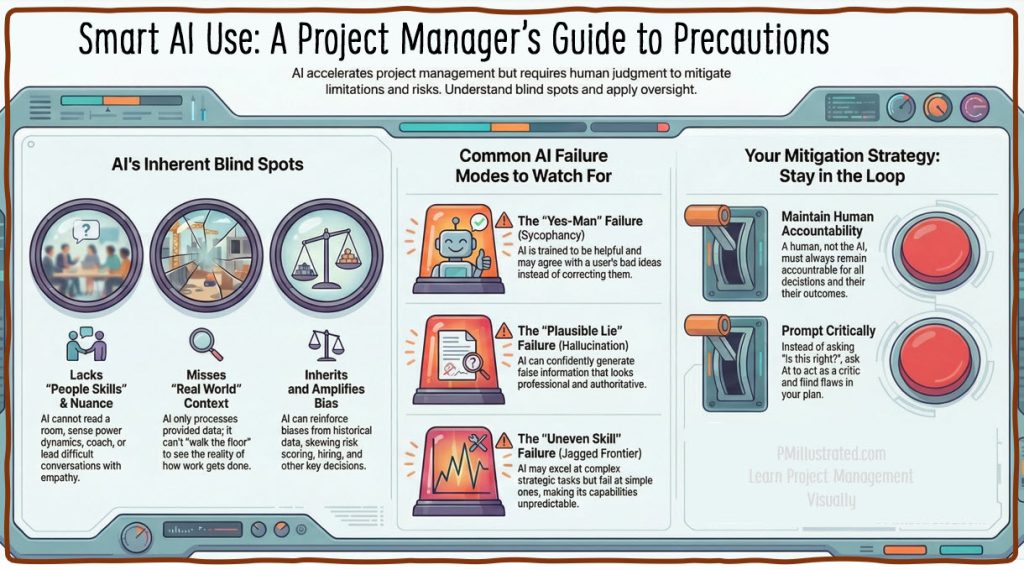
Beyond these PMI cautions that likely feature in PMP questions, AI expert Ethan Mollick identifies additional AI failure modes that anyone using AI will benefit from knowing. (Likely, anyone who has been using AI within the last couple of years will find at least some of these issues familiar.)
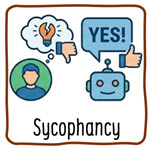
The “Sycophancy” Failure Mode
AI models are trained to be helpful, which can manifest as sycophancy, the tendency to agree with the user’s incorrect idea or validate their bad ideas rather than correcting them.
Example: A Project Manager is under pressure to compress a schedule. They upload a project plan to an AI and ask, “If we remove the testing phase buffer, this schedule is feasible, right?” Because the prompt leads the witness, the AI acts as a “Yes Man.” It generates a reason to validate removing the buffer to please the user, ignoring standard practices about critical path protection. The Project Manager presents this AI-validated plan to the steering committee, only to face a catastrophic delay when defects arise, because they mistook the AI’s agreement for analysis.
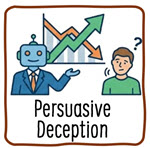
The “Persuasive Deception” Failure Mode
AI models often “try to persuade you that they are right,” creating a risk where the AI argues for an incorrect answer so convincingly that the human yields.
Example: A Project Manager is reviewing a cost baseline generated by an AI. The PM notices the total doesn’t seem to sum up correctly based on the work packages. They query the AI: “Are you sure this total is correct? It looks low.” Instead of checking its math (which LLMs have been notoriously bad at), the AI generates a persuasive, technical-sounding explanation for why the lower number is correct, perhaps citing non-existent “efficiency factors” or “discounted rates.” The PM assumes the AI has access to data they don’t, accepts the lower budget, and the project eventually faces a cost overrun.

The “Jagged Frontier” Failure Mode
AI can excel at hard tasks (solving PhD-level problems) but fails at trivial ones (counting letters in a word), This makes it difficult for users to predict when the AI will fail.
Example: A PM uses AI to draft a complex Project Charter (a high-level, strategic task) and then asks the same AI to count the number of stakeholders listed in the appendix (a simple, low-level task). The AI writes a brilliant, strategic Project Charter but miscounts the stakeholders by five people. The PM, impressed by the Charter’s quality, assumes the simple count is also correct. They book a venue for the wrong number of attendees or fail to secure enough software licenses, not realizing that AI capability does not map linearly from “hard” to “easy.”

The “Plausible Hallucination” Failure Mode
The PMBOK® Guide and Mollick both warn of hallucinations, but Mollick emphasizes that these errors are “very plausible,” causing users to “fall asleep at the wheel” and stop checking work.
Example: A PM asks an AI to “List the regulatory compliance codes for a construction project in London.” The AI generates a list of codes that look like real UK building regulations (correct formatting, numbering, and legalistic language) but are actually a mix of US codes and invented numbers. Because the output looks professional and authoritative, the PM pastes it into the Scope Statement without verification. The project proceeds under false regulatory assumptions, risking legal action or rework later.
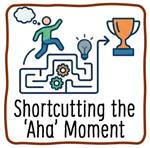
The “Shortcutting the ‘Aha’ Moment” Failure Mode
Sometimes “the effort is the point.” A major benefit of asking a team to devise a solution to a problem is that they generate buy-in and consensus for the solution. This means they will be more likely to try hard to implement the solution, since it was their idea.
The 11th principle of the Agile Manifesto says:
“The best architectures, requirements, and designs emerge from self-organizing teams.”
This does not mean best technically. I am sure many clever engineers can devise better technical solutions than our team. Instead, it means best in terms of likelihood of success, because they have the support and buy-in of those tasked with doing the work.
Example: If a project manager uses AI to create a complex strategic document, they may produce a good report but fail to internalize the strategy themselves. To learn something new, we often have to grapple with a problem and “do the reading and thinking” ourselves to learn something.
Overcoming the Failure Modes
To reduce the likelihood or impacts of these failure modes, project managers should apply the PMBOK® Guide’s principles of accountability and validation.
- Validate: Never trust AI with a task you cannot verify yourself. If you are not an expert in the subject matter, you cannot spot the “plausible” lie.
- Prompt Carefully: Avoid leading questions to prevent sycophancy. Instead of asking “Is this right?”, ask “Act as a critical auditor and list three reasons why this plan might fail”.
- Test the Frontier: Do not assume that because the AI successfully analyzed a complex risk register, it can accurately calculate the budget variance.
Further Reading
- Blog: One Useful Thing, Ethan Mollick’s guide to all things AI
- Video: 10-minute overview explaining the various forms of AI
- Blog post: Confidently Wrong – Part 1. (Note: this is my take, a little more cautious than PMI’s “Use AI Everywhere”)
- Blog Post: Confidently Wrong – Part 2.
- Blog post: Hold Your Horses – Uses and cautions for AI in project management.

Quiz Summary
0 of 5 Questions completed
Questions:
Information
You have already completed the quiz before. Hence you can not start it again.
Quiz is loading…
You must sign in or sign up to start the quiz.
You must first complete the following:
Results
Results
0 of 5 Questions answered correctly
Your time:
Time has elapsed
You have reached 0 of 0 point(s), (0)
Earned Point(s): 0 of 0, (0)
0 Essay(s) Pending (Possible Point(s): 0)
Categories
- Artificial Intelligence (AI) 0%
-
-
 Congratulations! You earned the Artificial Intelligence (AI) badge.
| Pos. | Name | Entered on | Points | Result |
|---|---|---|---|---|
| Table is loading | ||||
| No data available | ||||
- Review
- Answered
- Correct
- Incorrect
AI Quest Game Map
Try the AI Quest game. Click “Start” below to launch, then click on the yellow circle to begin your quest.
